


Features
One calm place for the household money.
Everything JamJar does, from your first statement import to the mortgage payoff date. Screenshots use made-up demo data — where they show a connected bank feed, that part is coming soon.
JamJar is in early access — we’re opening it up to a few households at a time before public launch.
Dashboard
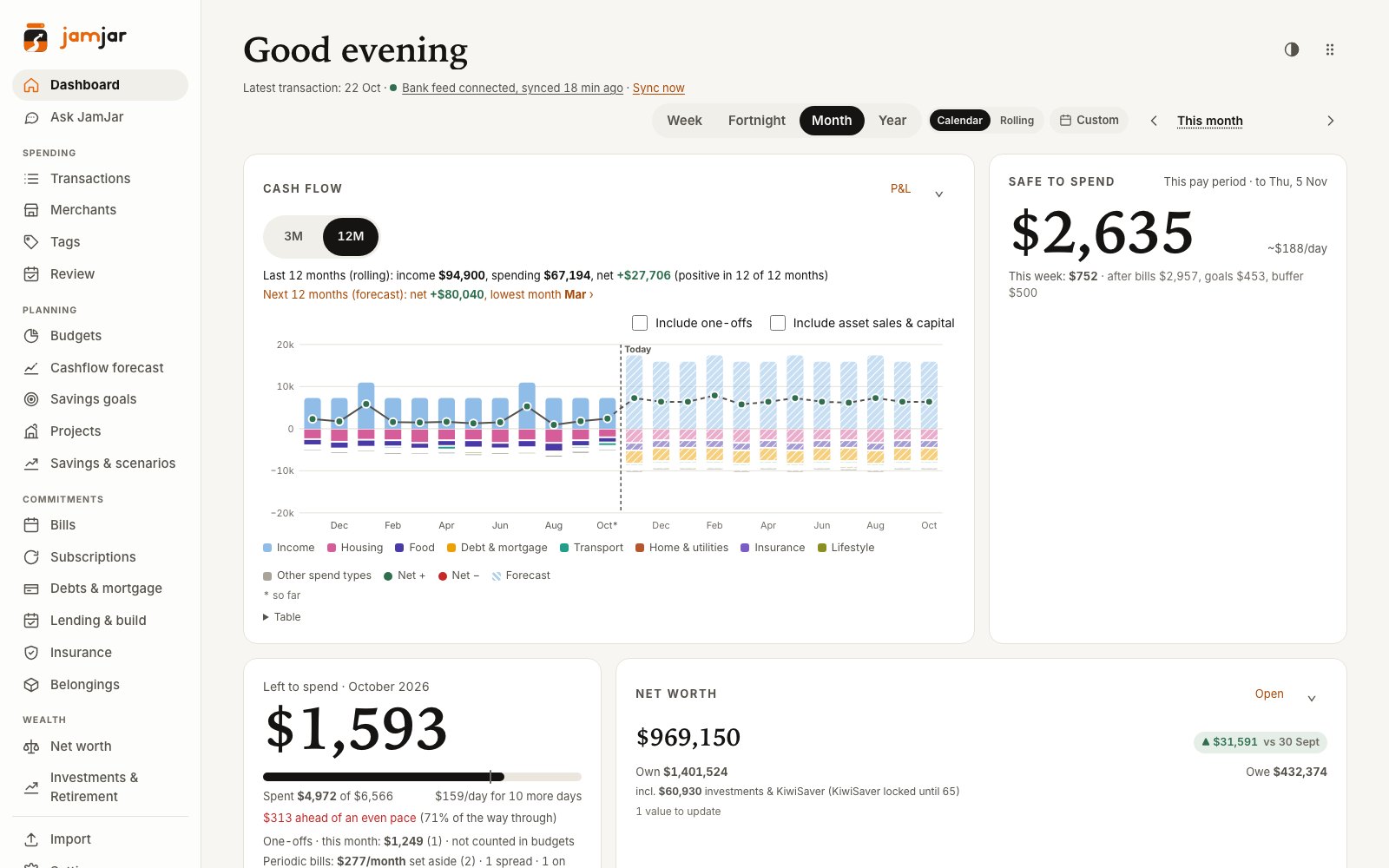
Your money at a glance — and what needs a look
A rolling cash flow chart shows money in against spending for the last 3 or 12 months, with spending stacked by spend type. Beside it: what’s safe to spend until payday, and how much is left in this week’s or month’s budget.
- Cash flow for the last 3 or 12 months — tap a bar to see the transactions behind it
- Safe to spend: your balance after bills due before payday, loan repayments, goals and a buffer
- “Needs attention” — every tile opens straight to the thing to fix
- Fold away the panels you don’t need; the dashboard remembers
Needs attention
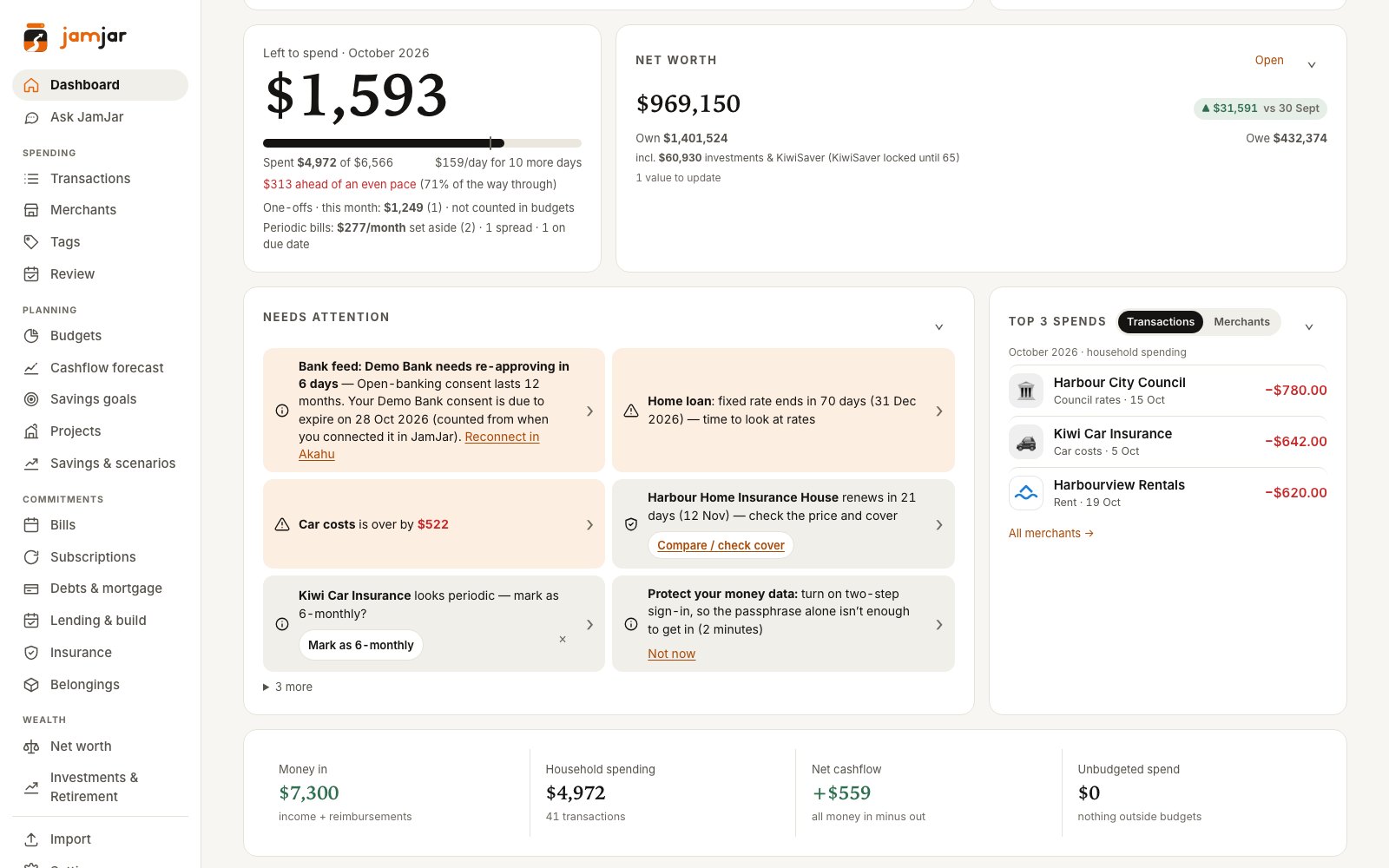
Nudges that take you straight to the fix
An overspent category, a fixed rate about to end, an insurance renewal, a payment that looks like it repeats — each one is a tile, and tapping it opens exactly the right place to deal with it.
Cashflow forecast
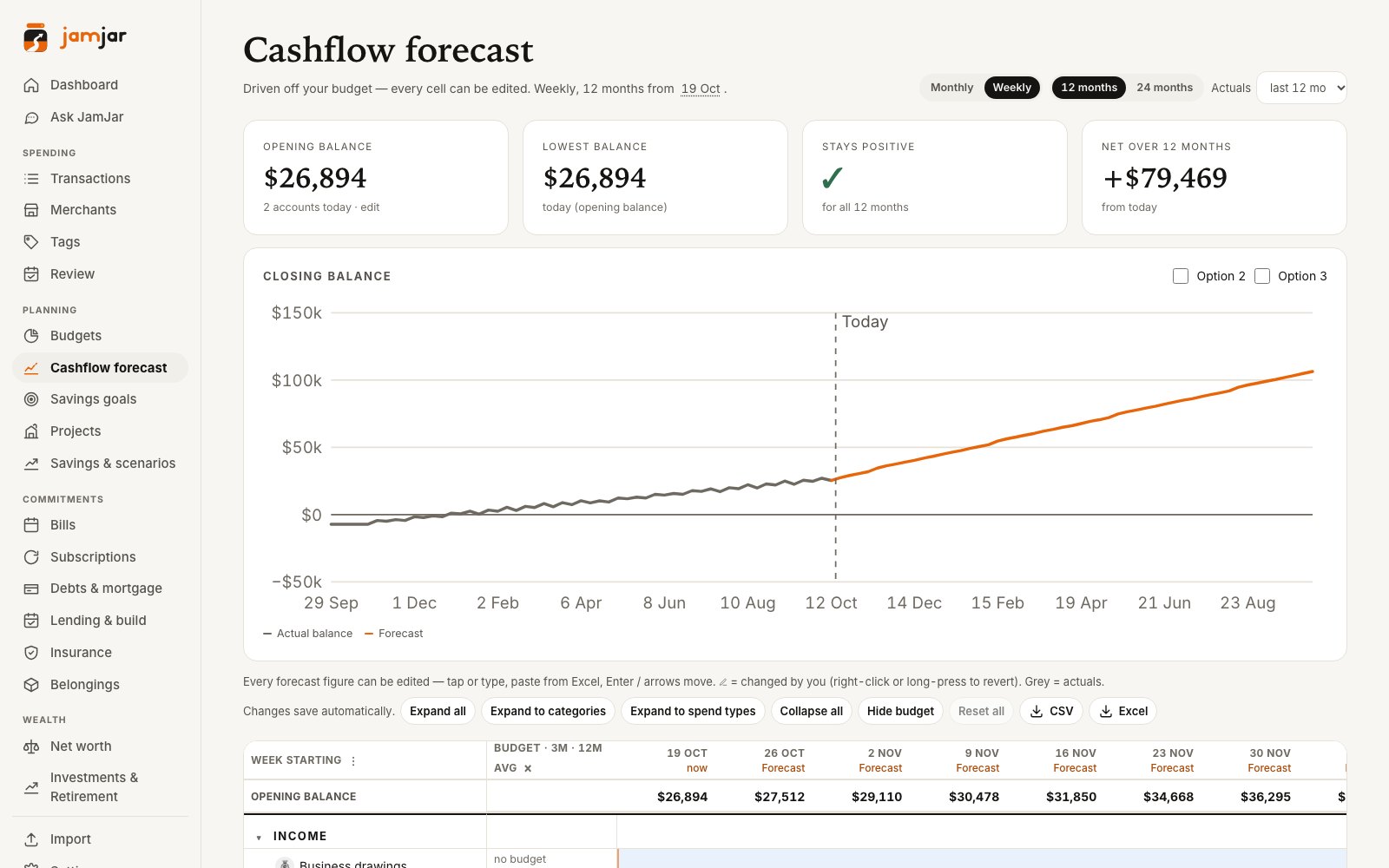
A year behind and a year ahead, in one grid
Your budget becomes a week-by-week or month-by-month forecast, with up to 12 months of real spending alongside. Every forecast cell can be edited — type a number, then “Apply from here” to carry it forward.
- Drill down from Spend type › Category › Merchant
- Up to 12 months of actuals, linked to the transactions behind them
- Budget column with your 3- and 12-month averages, highlighted when you’re over
- Loans follow their repayment schedules, including planned drawdowns
- Opening and closing balance for every week, and Excel or CSV export
Budgets
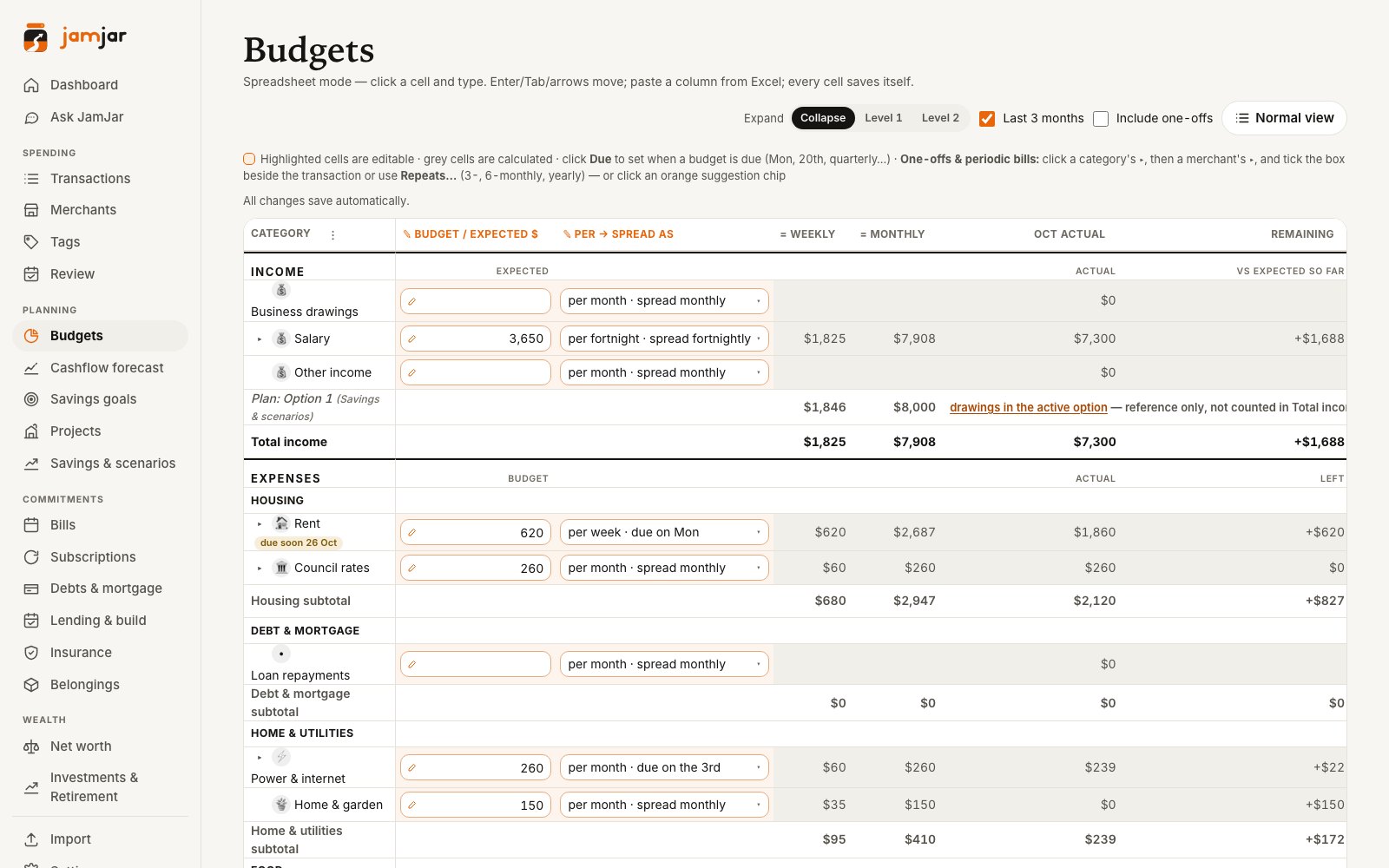
Weekly, fortnightly, monthly — in a real spreadsheet
Budget each line the way it’s actually paid: groceries weekly, pay fortnightly, insurance monthly, rates quarterly. Everything rolls up neatly by Spend type › Category › Merchant, and the spreadsheet view puts it all on one editable grid.
- Click and type, Tab and arrow keys, paste from Excel
- Due dates per line — “every Monday”, “the 18th”, quarterly
- Spread a big bill across the year, or count it on the day it’s due
- Budget by merchant inside a category — say, groceries split between two supermarkets
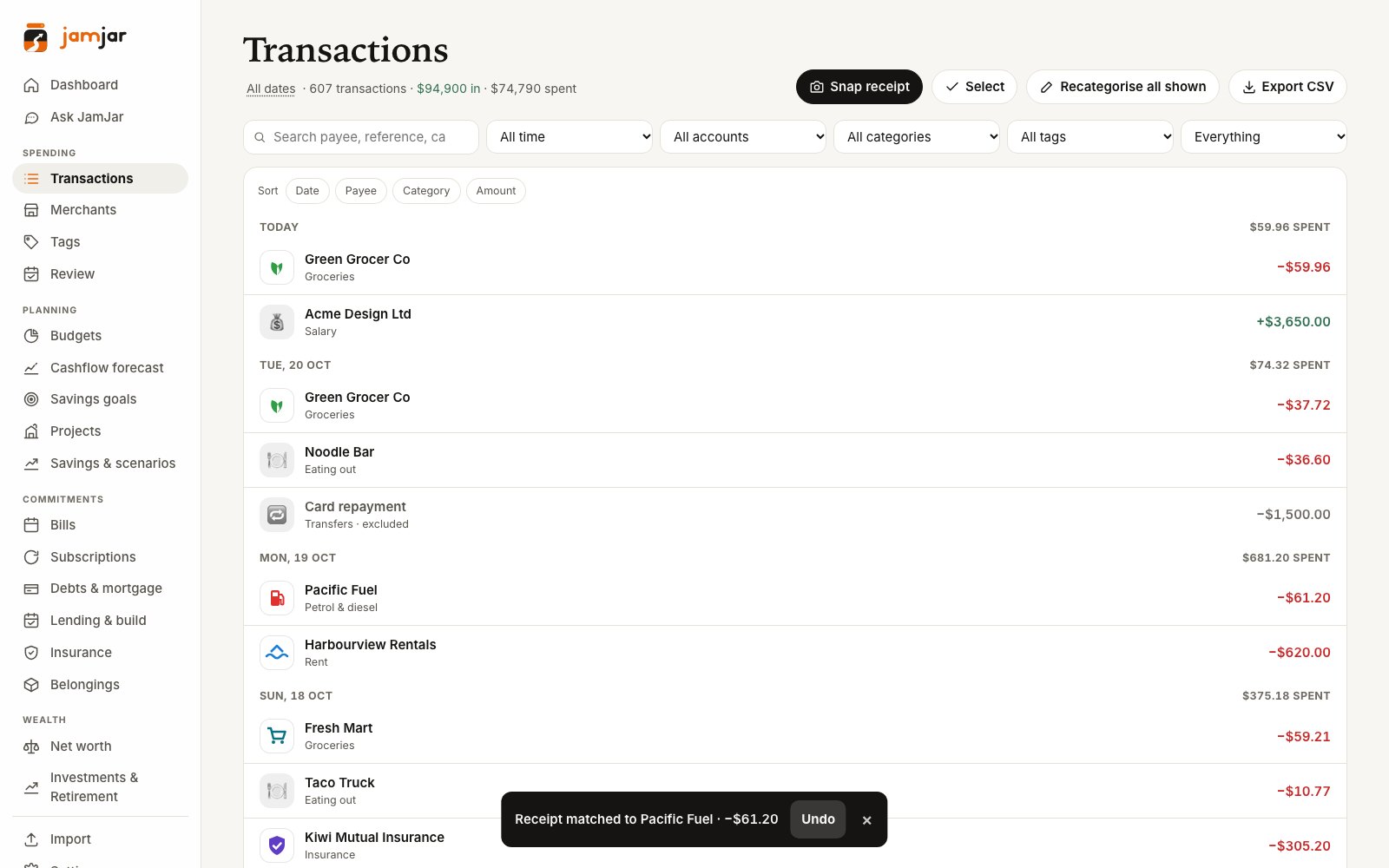
Snap a receipt
Take a photo. It finds the payment.
Snap a receipt or pick a PDF and JamJar reads the shop, total, date and items, then matches it to the right bank transaction and attaches it. Paid in cash? Add it as a cash spend in a couple of taps.
- Matches on amount and date — allowing for a tip or surcharge
- Not in the bank yet? It waits and checks again after each update
- Receipts are kept privately with the transaction
- Undo if it picked the wrong one
Merchants
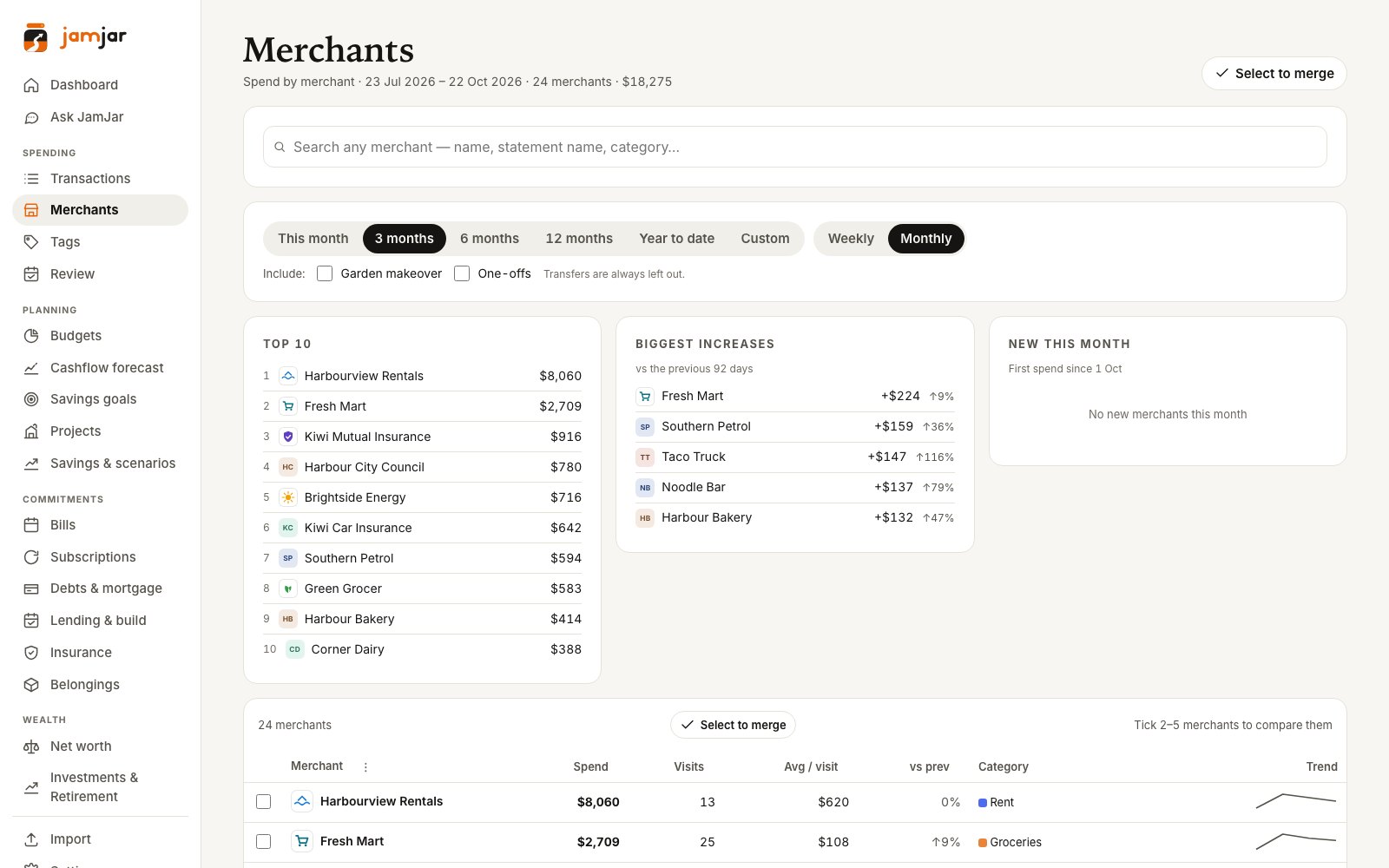
Know exactly who’s getting your money
Every merchant ranked by what you spent there, with visits, average spend and a trend line. See the biggest increases since last period, compare merchants side by side, and tidy up the bank’s messy names.
- Merge merchants that are really the same shop — with Unmerge and Undo
- Set a budget for a single merchant
- This month, 3, 6 or 12 months, year to date or custom
Subscriptions
Every repeating charge — and how to cancel it
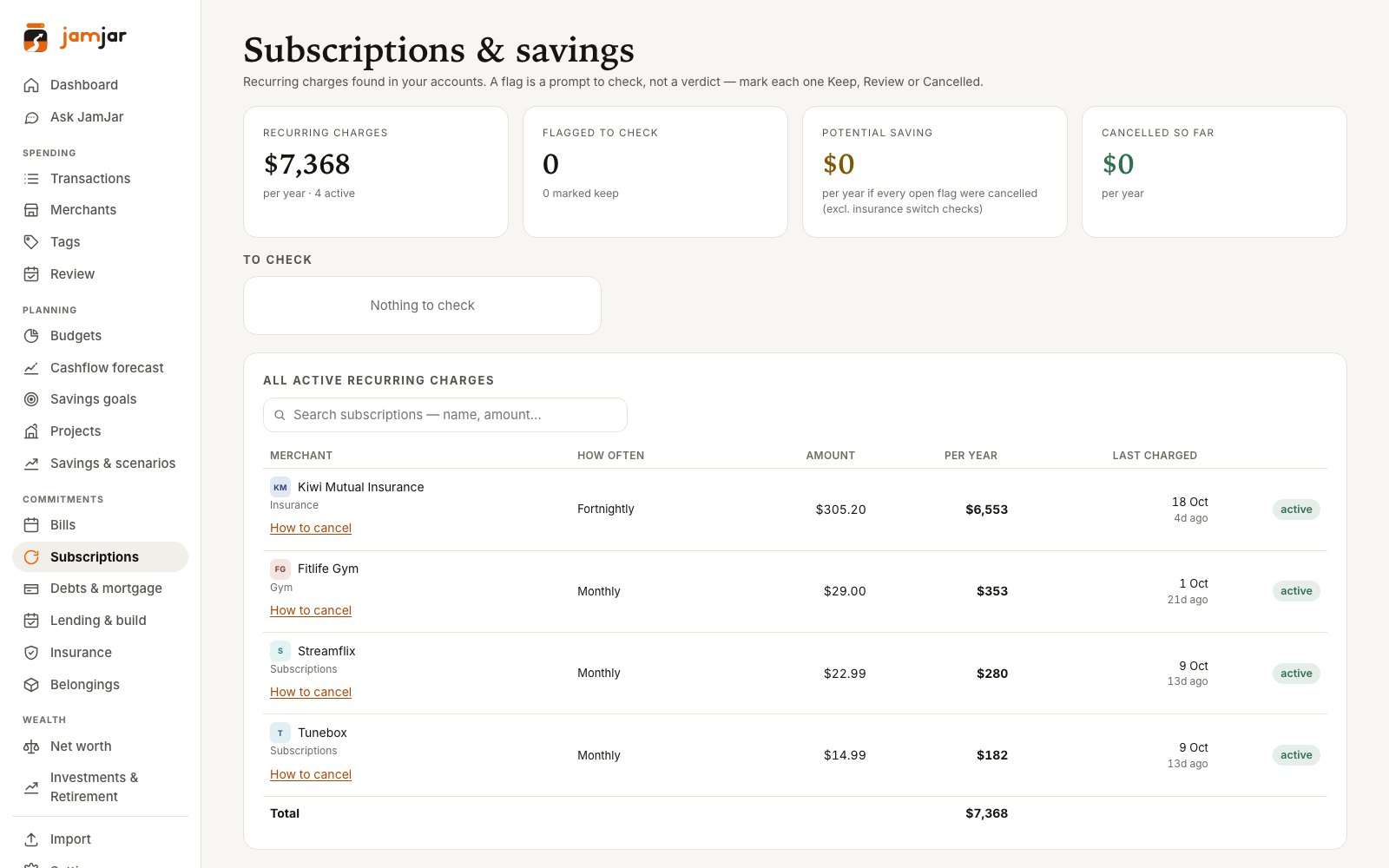
JamJar finds the charges that repeat and adds up what they cost each year. Mark each one Keep, Review or Cancelled — a flag is a prompt to check, never a judgement.
- “How to cancel” guides for 40+ popular streaming, music, software, gaming and AI subscriptions
- A direct cancel link is only shown once it’s been checked on the provider’s own site
- “Charged again” warning if a cancelled subscription shows up again
- Running total of what you’ve saved by cancelling
Bills & fixed costs
See what’s coming before it lands
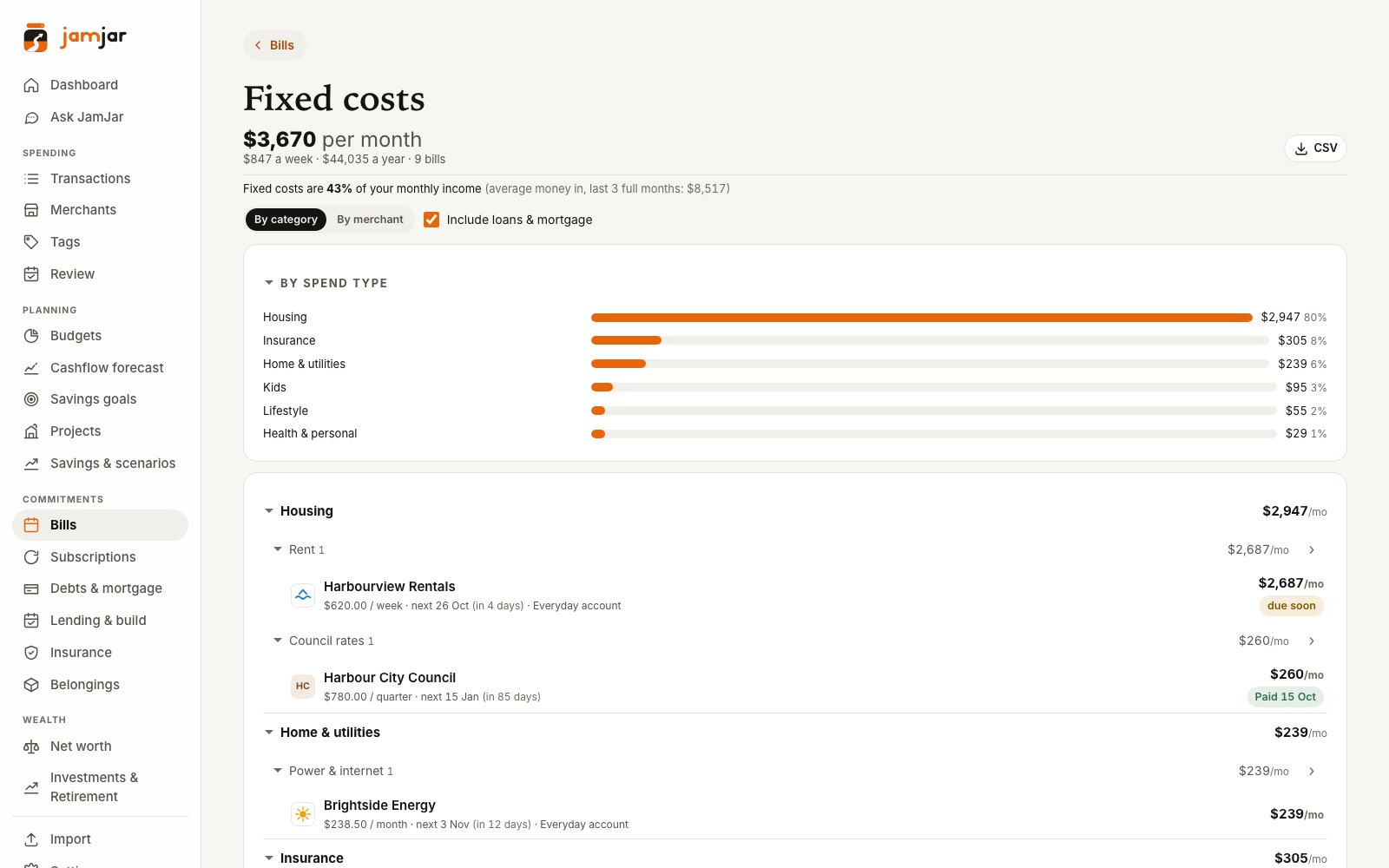
Regular payments are spotted from your transactions and laid out on a calendar. The fixed-costs view breaks down what you’re committed to every month — by spend type or by merchant — and what share of your income it takes.
- Fixed costs per month, week and year, with or without loans
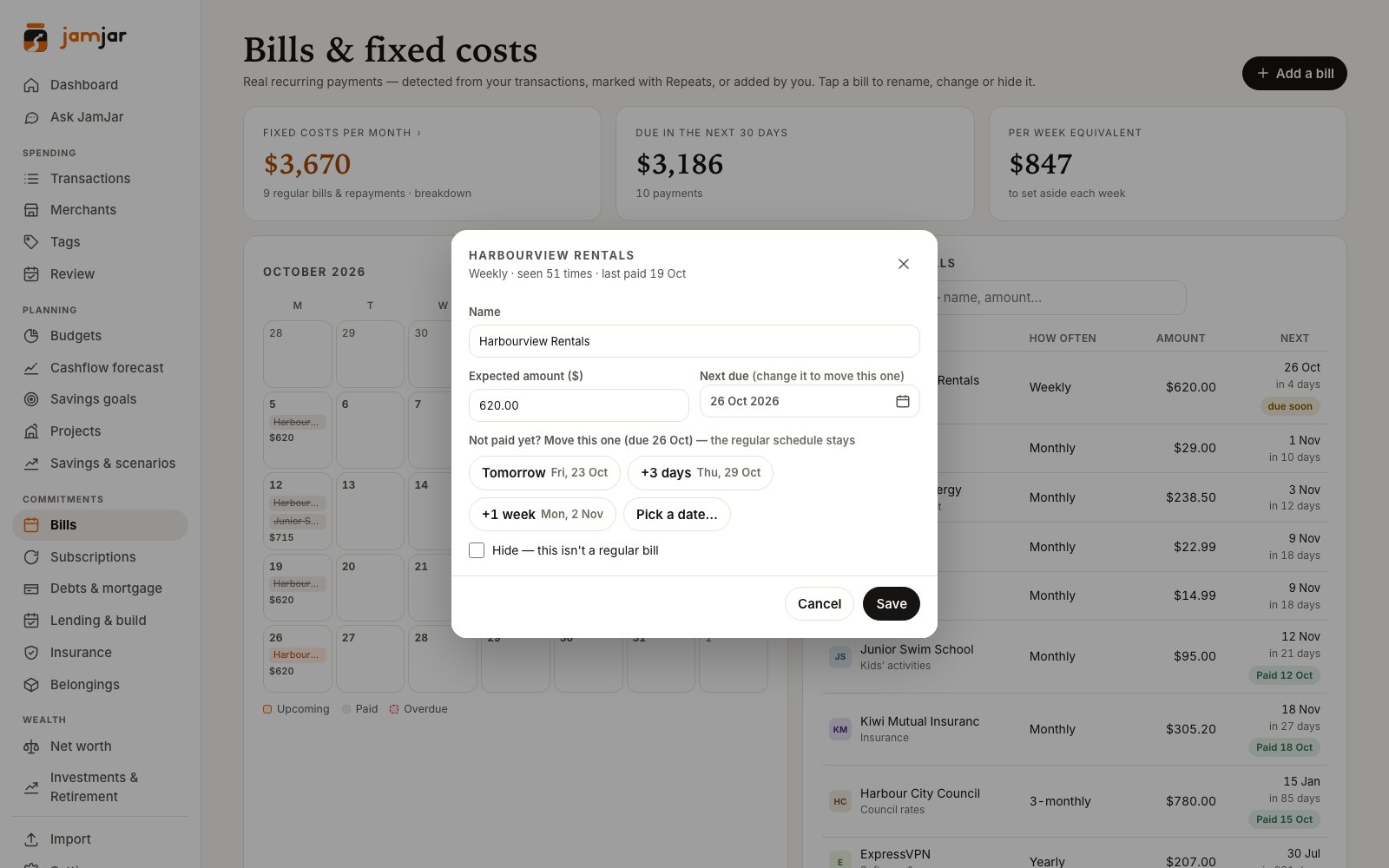
- Running late? Move one bill’s due date without changing the schedule
- “Outstanding” until the payment actually shows up
- A per-week amount to set aside
Move a due date
Not paid yet? Move just this one.
Tap a bill and push this occurrence to tomorrow, three days or a week out — or pick a date. The regular schedule stays exactly as it was, and you can undo it.
Debts & mortgage
A payoff date for every loan — even mid-build
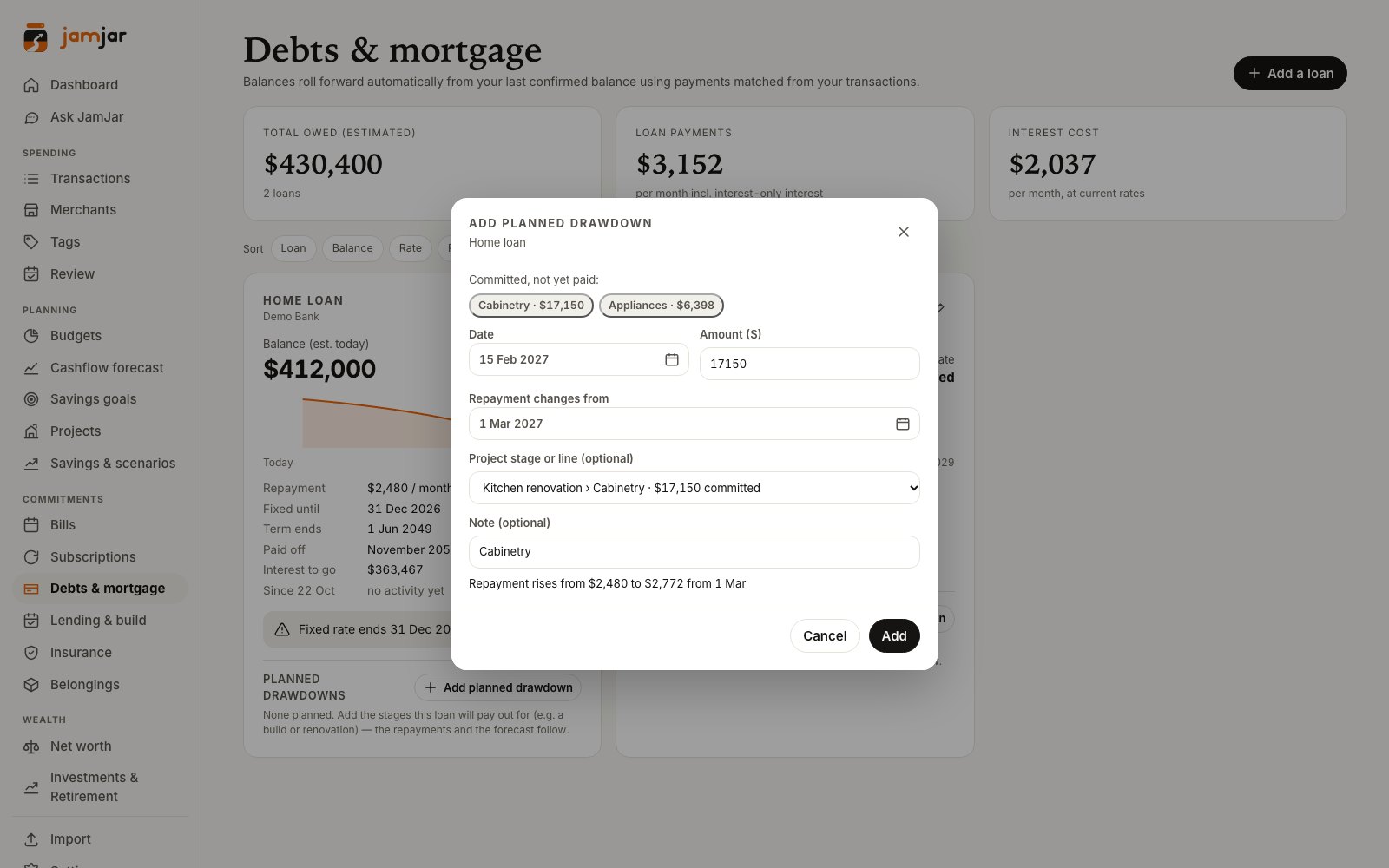
Balances roll forward from your last confirmed figure using the repayments in your transactions. Building or renovating? Add planned drawdowns and JamJar works out what your repayments will rise to, and when.
- Payoff projection and interest still to pay
- Fixed-rate end dates flagged ahead of time
- Planned drawdowns recalculate the repayment and flow into the forecast
- Learns the bank’s actual new repayment once it starts
- Lending & build reconciliation: your true build cost and true debt today, checked against your statements
Belongings
Everything you’d need to claim for, in one place
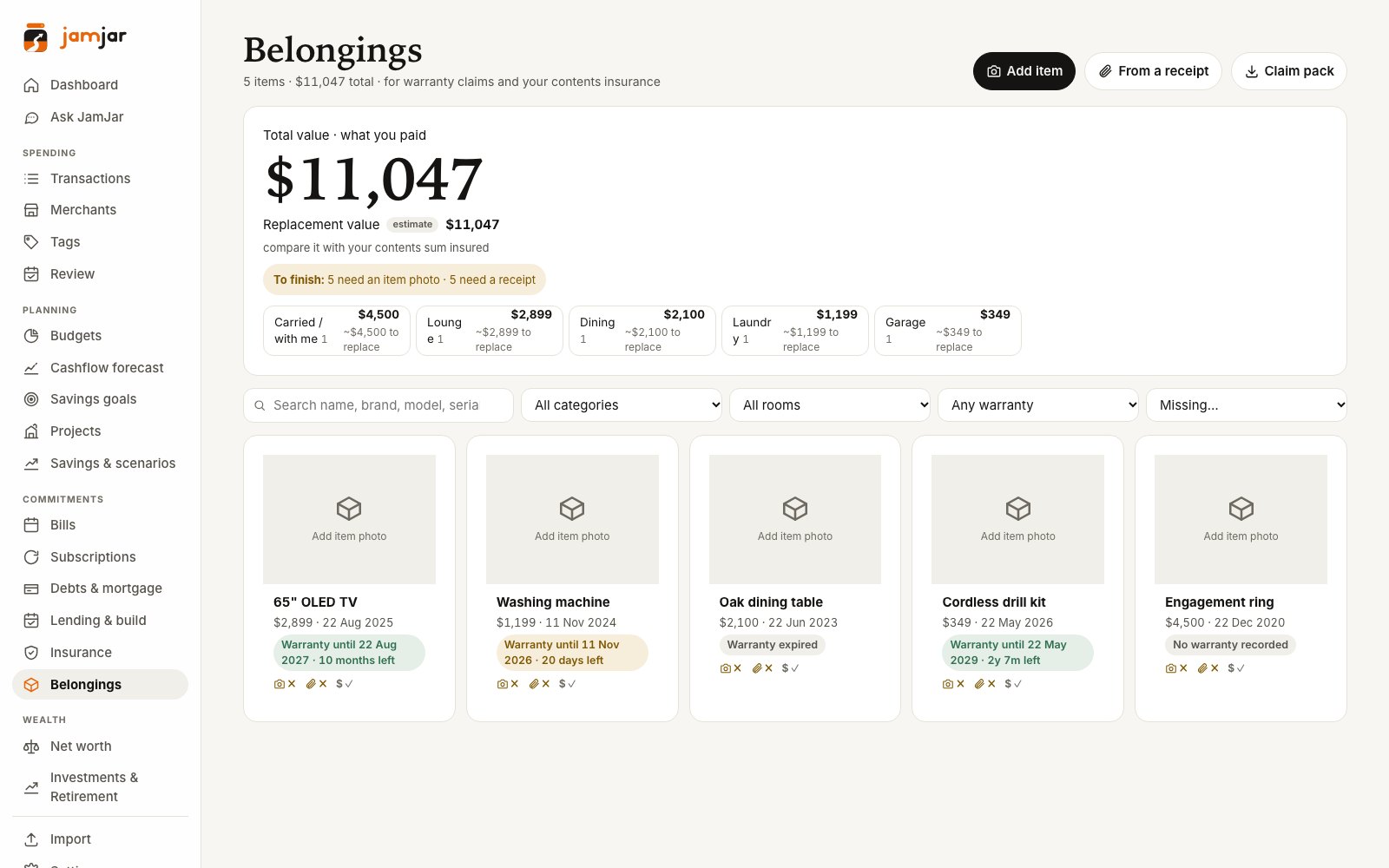
Add the TV, the laptop, the bikes and the ring — with a photo of the item, the receipt and the label. JamJar reads them to fill in what it can, so you’re ready for a warranty claim or an insurance claim.
- AI names the item and reads the brand, model and serial from the label
- Warranty tracking, with a heads-up in Needs attention before it ends
- Replacement values — clearly marked as estimates, with their source
- Compare the total with your contents cover
- Claim pack: a ZIP or printable page with photos and receipts
Insurance
Upload the policy. Check what it read.
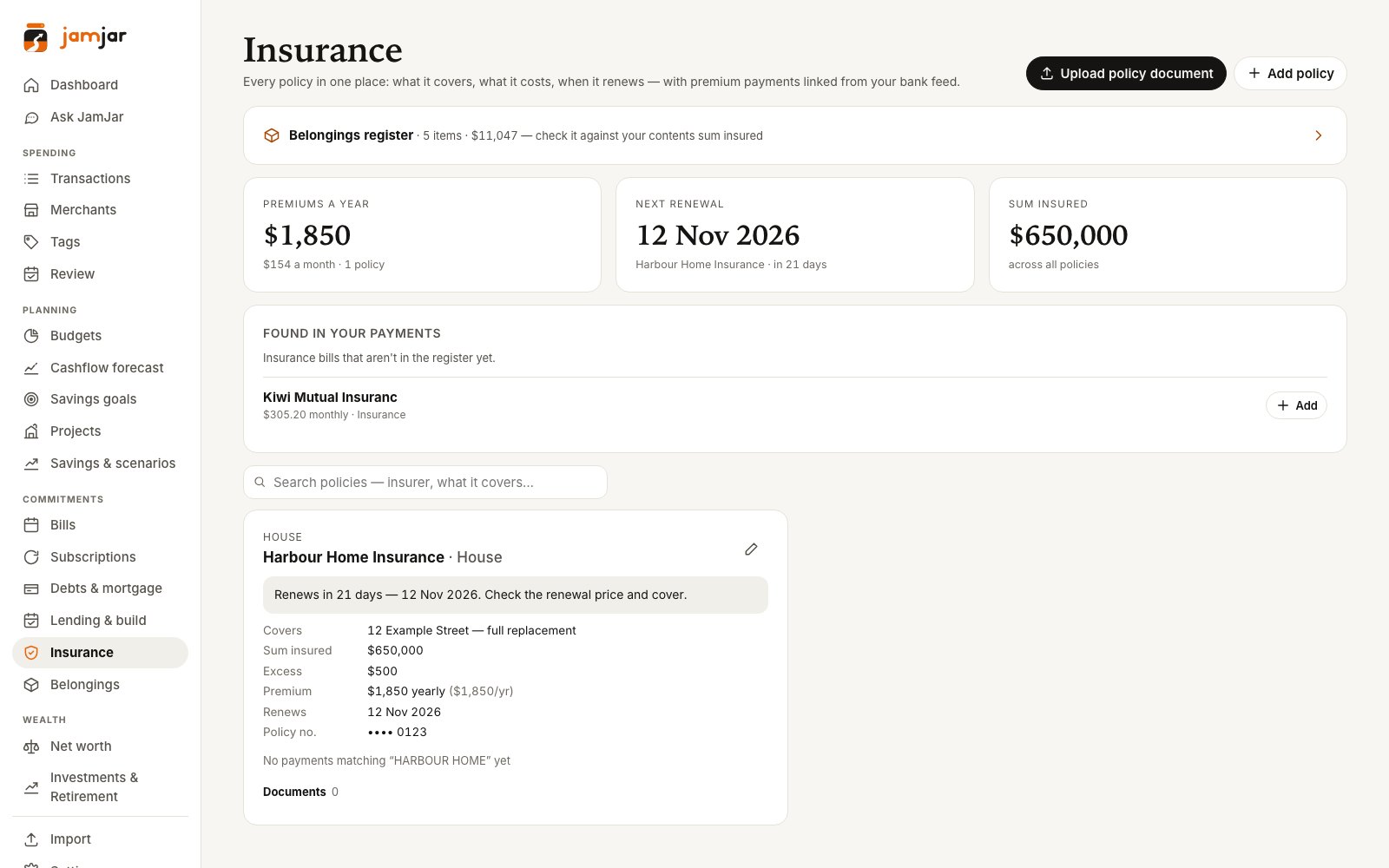
Drop in a policy schedule (PDF or photos) and JamJar reads the insurer, cover, sum insured, excesses, premium and renewal date. You check every field before anything is saved — unsure ones are marked “check”.
- Links the premium payments from your transactions
- Renewal reminders in Needs attention, 30 and 7 days out
- All your policies, premiums and renewal dates on one page
Projects
House build or reno? Keep it in its own book.
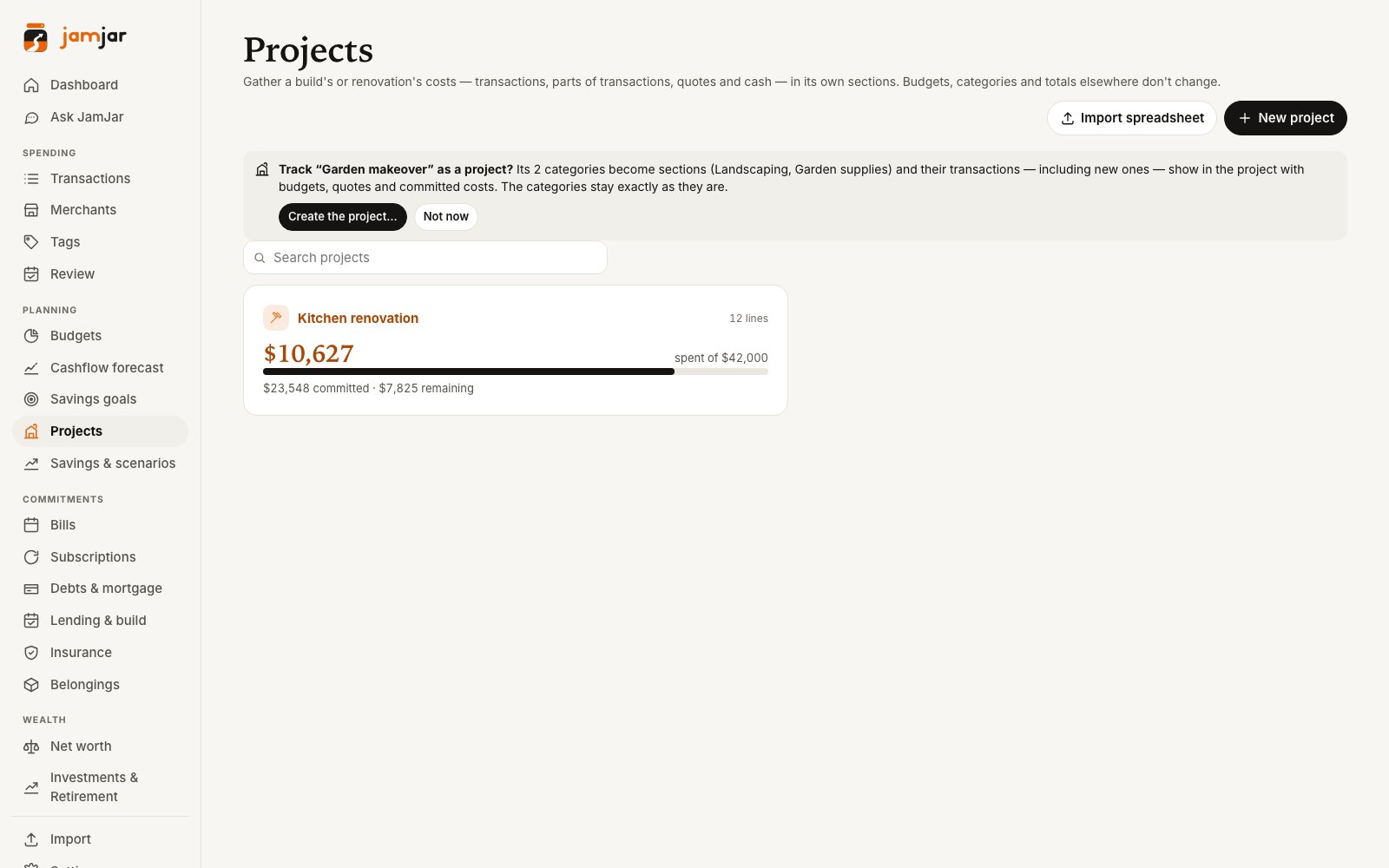
Gather a project’s costs — transactions, parts of transactions, quotes and cash — into sections with a budget, spent, committed and remaining for each. Your everyday budgets and categories don’t change.
- Quote → Accepted → Ordered → Paid for every line
- Import an existing spreadsheet and match it to the bank
- “Always add” rules for a project’s regular suppliers
- Excel and CSV export
Connects with
Your banks, KiwiSaver and investments — in one place
Coming soon: connect the accounts you choose, read-only, through Akahu. Until then, import CSV statements from internet banking.
Banks Coming soon
Accounts, balances and transactions.
 ANZ
ANZ ASB
ASB BNZ
BNZ Kiwibank
 Westpac
 TSB
TSB The Co-operative Bank
 Heartland
 NZHL
NZHL SBS
SBS Rabobank
Rabobank: agribusiness accounts. SBS: about 6 months of history on first connection.
KiwiSaver & investments Coming soon
Balances and holdings for your net worth — not transactions.
 Booster
 Fisher Funds
 Generate
 Milford Asset Management
 Simplicity
 Superlife
 Pie Funds KiwiSaver
 Sharesies
 Hatch
Hatch Kernel Wealth
 Stake
Stake Sharesight
Cards & other Coming soon
Accounts, balances and transactions.
 American Express
 Latitude (Gem Visa)
 Wise
Wise
Bank connections powered by Akahu, a New Zealand open-finance provider. Read-only: JamJar can’t move money.
Logos are trademarks of their respective owners and are used to show supported connections. No endorsement implied.
And more
The everyday bits, done properly
Bank feeds & import
Upload CSV statements from internet banking today — duplicates are skipped. Live, read-only bank feeds via Akahu Coming soon
Savings goals
Targets with dates, linked to a savings account or kept as a virtual jar, and what to put away each month.
Net worth
Accounts, home, KiwiSaver and other assets and debts in one total, with a reminder when a value needs updating.
Savings scenarios
Compare income options side by side, with estimated NZ tax, your monthly surplus and extra mortgage repayments.
Weekly review
A short scorecard and checklist to do together, so money talk stays quick and calm.
One-offs
Flag the new washing machine as a one-off so it doesn’t wreck your weekly picture.
Ask JamJar
Ask questions about your own spending in plain English, with answers that link to the figures. Optional, and off until you switch it on.
Undo
Recategorised the wrong thing? Almost every change has an Undo button.
Face ID & passkeys
Sign in with Face ID, Touch ID or your phone’s screen lock instead of typing a passphrase.
Works like an app
Add it to your phone’s home screen. Quick add, swipe actions and pull to refresh.
Offline? Still there.
No signal? It opens with what you last saw, then refreshes when you’re back online. (Changes need a connection.)
Shared household
Invite your partner — same numbers, separate sign-ins.